
Search around your needs
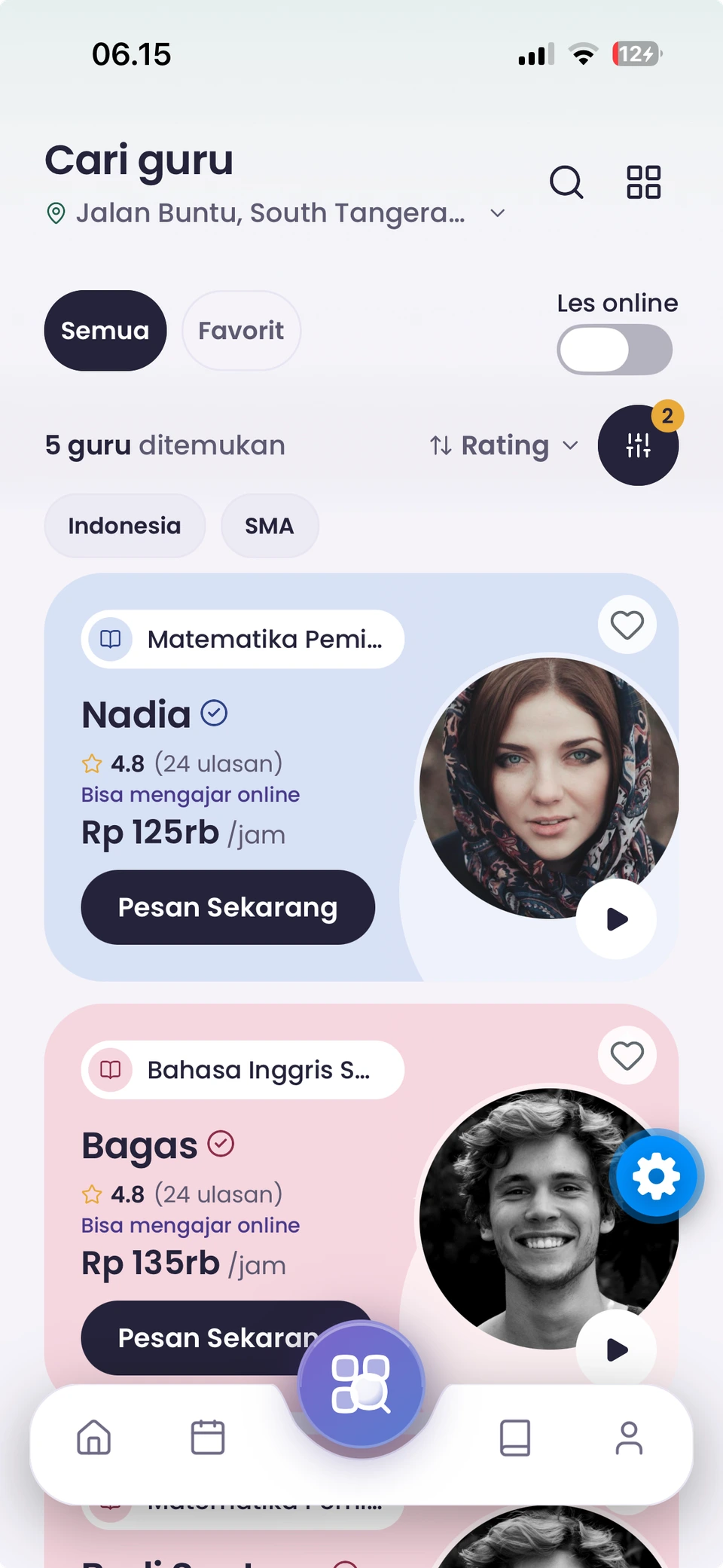
Filter tutors by subject, level, curriculum, service, and availability.

For students and parents.
Explore the app from finding a tutor to continuing your practice.
Filter tutors by subject, level, curriculum, service, and availability.
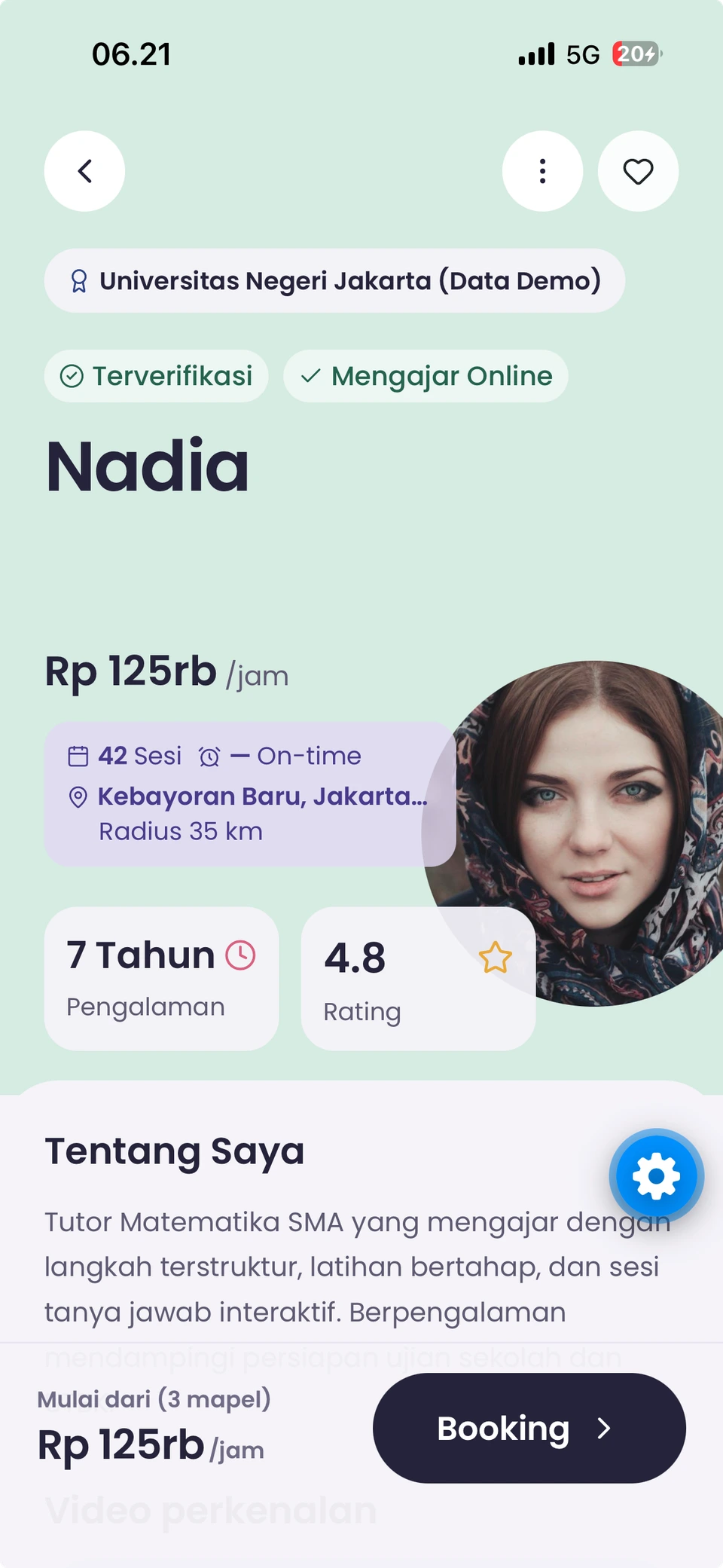
Explore education, experience, introduction videos, and reviews.
Return to the tutors you would like to learn with.
Manage your children’s different learning needs from one parent account.
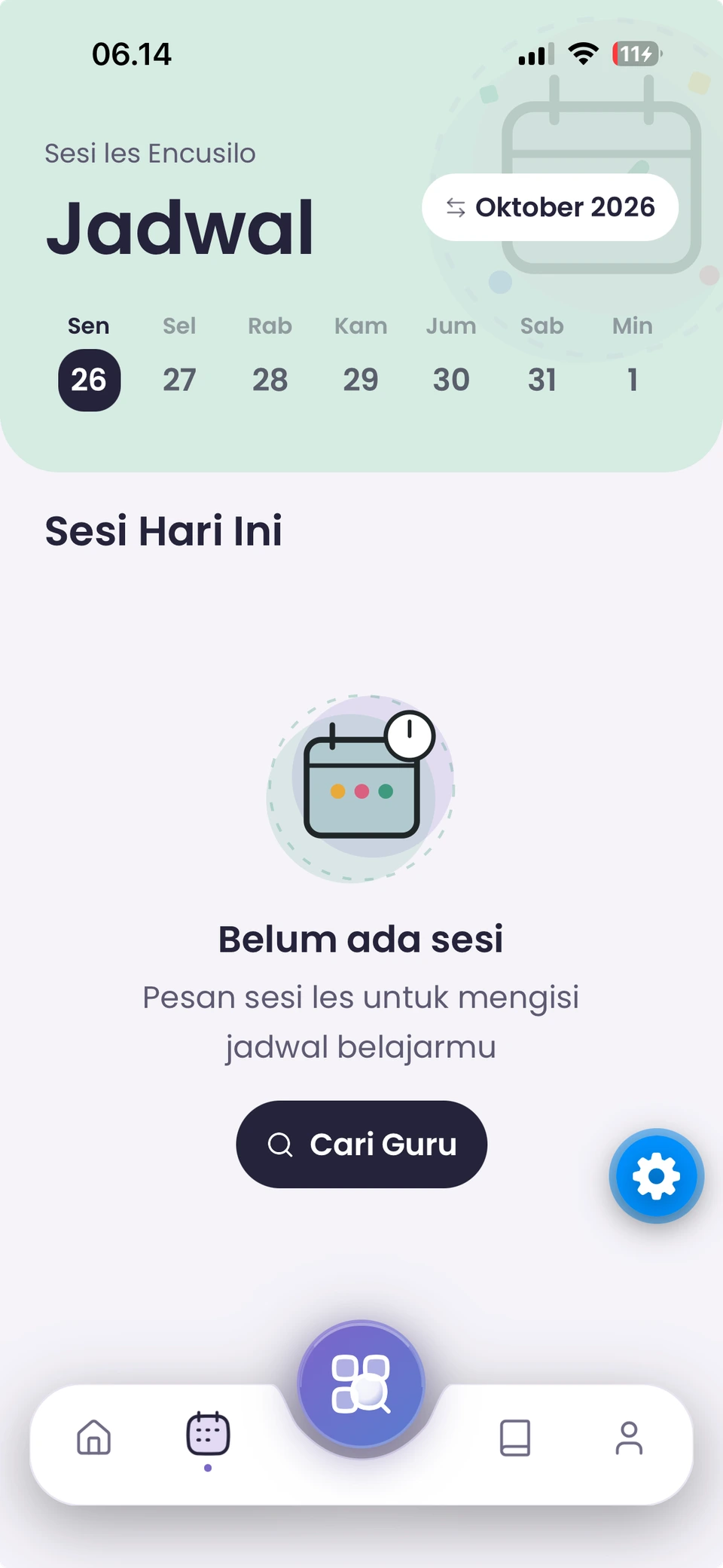
Explore schedules, packages, and booking choices offered by each service.
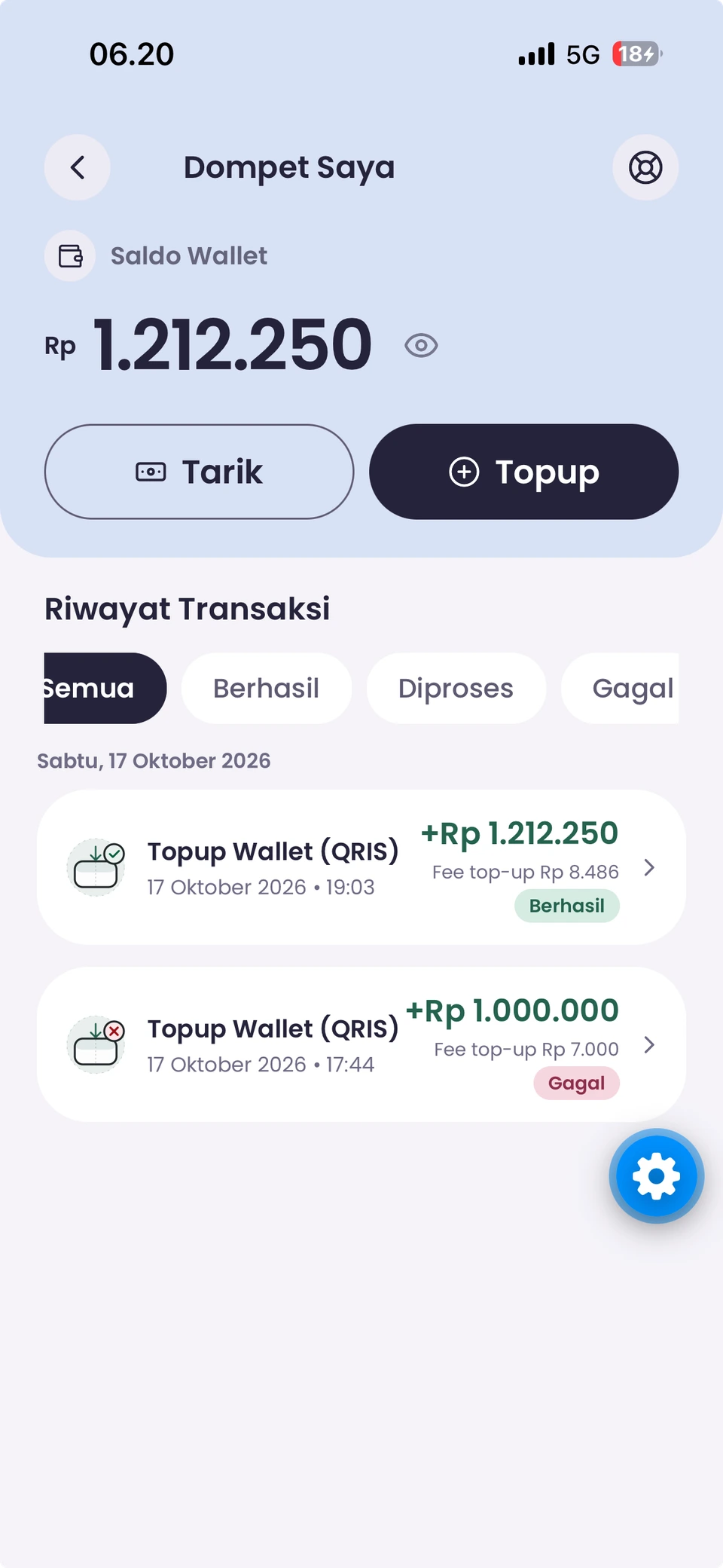
Review balances, transactions, and booking costs in the app.
Use chat and notifications to follow booking updates.
See arrival and session information relevant to your booking mode.
Use available exercises and progress information to support your learning.
Leave a review after your lesson and reach out for help when needed.
Browse education news, available promotions, and referral programmes.
All your learning choices, together in one app.
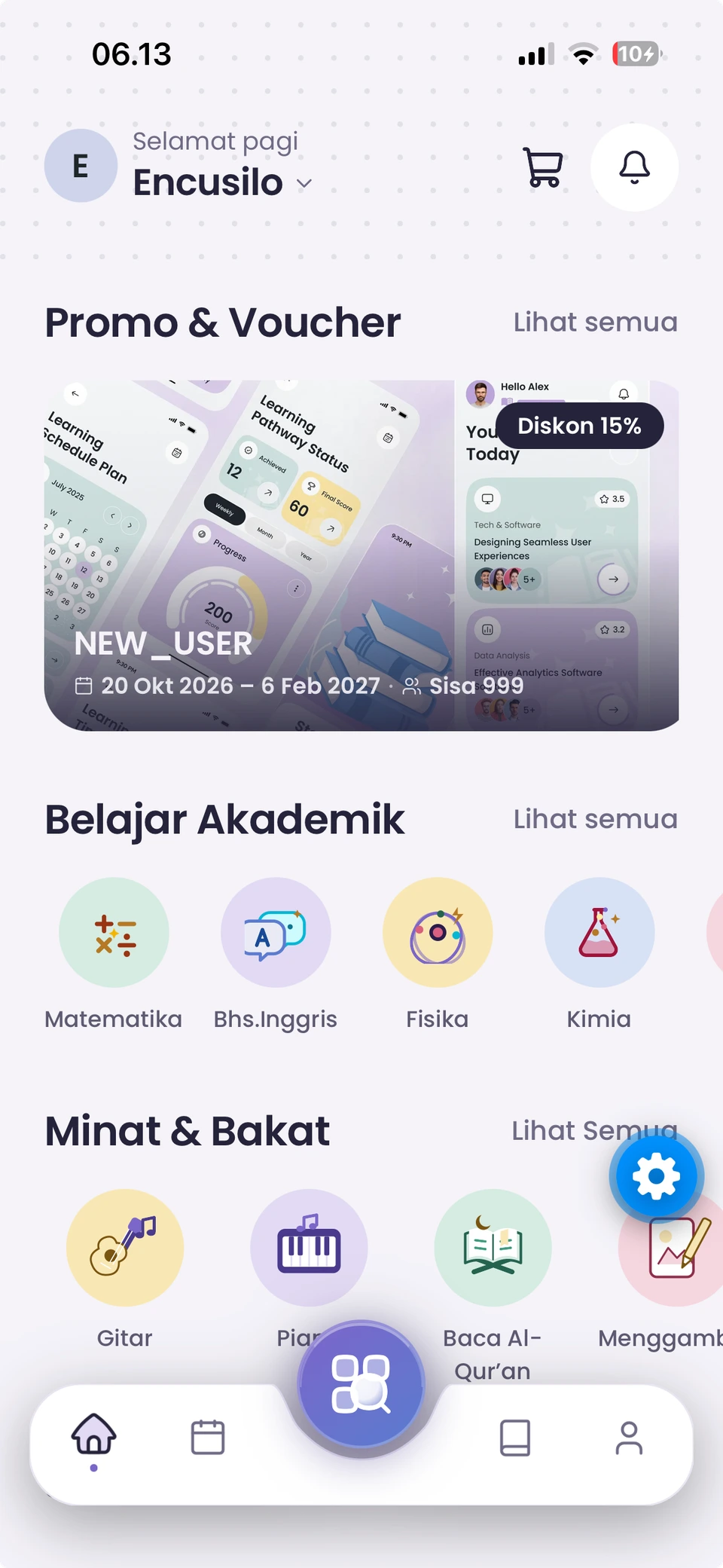
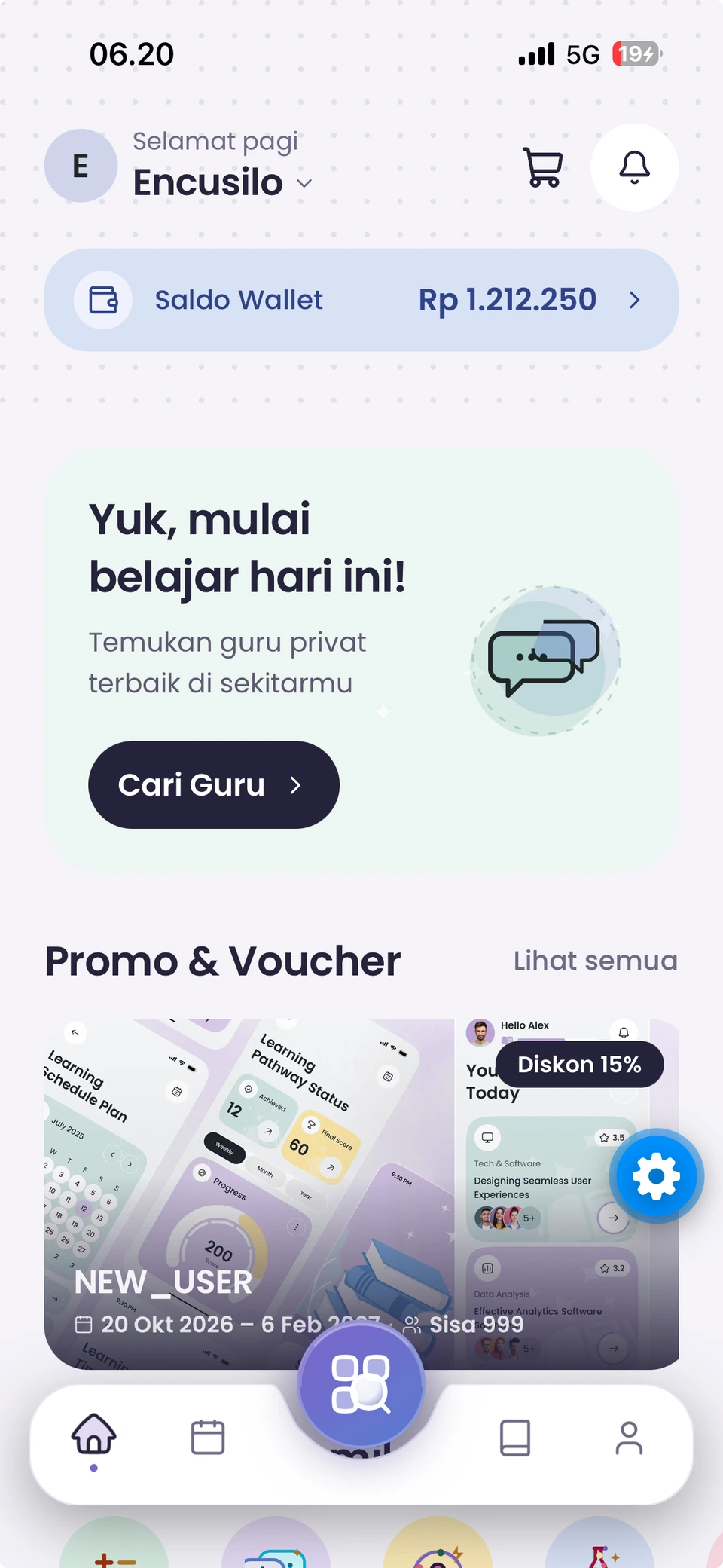
Actual Eduica student app screens. Scroll through home, tutors, schedule, wallet, and interests. On-screen data is illustrative.
Find a tutor, check your wallet balance, and explore promotions from the student home screen.
Filter by subject, school level, and learning mode. Compare profiles and rates before choosing.
Review education, experience, ratings, and hourly rates. This example profile is labelled Data Demo.
View booked sessions in your student schedule. This example shows a schedule with no sessions yet.
Check your balance, access top-ups, and review transaction statuses. The amounts shown are examples.
Explore academic subjects and interests, including guitar, piano, drawing, and reading the Quran.
Actual student app screens with demonstration data. Enable CC for an explanation of each screen.
Your next learning chapter begins in Eduica.
Get Eduica on your device and start planning your way of learning.